



Trusted by field operators
Tractor GPS
that works.
AgriPilot gives you live coverage, A/B guidance, saved fields, sync between your devices, GPX export, and spot spraying support in one simple iPhone app.

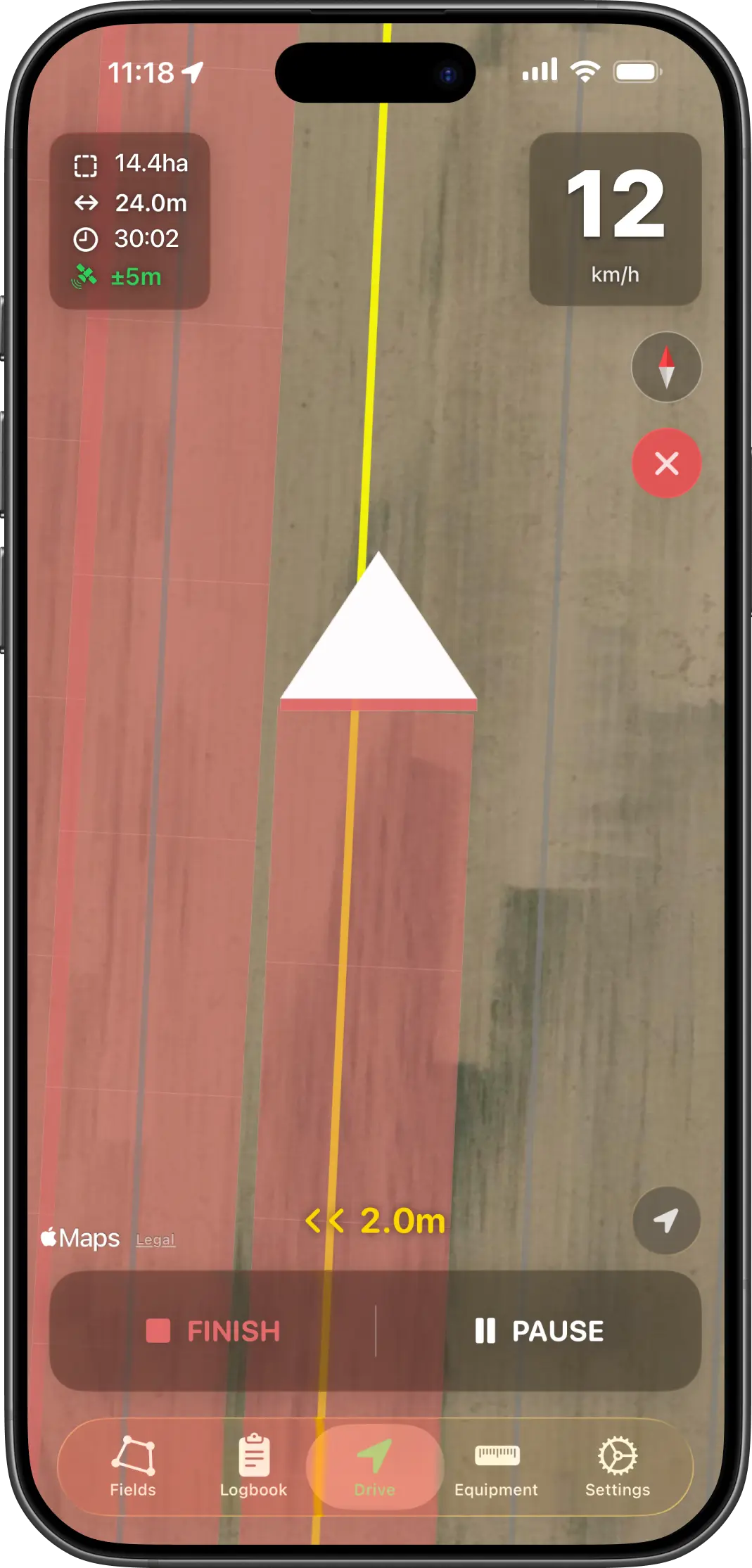
Track coverage live
See the map fill in while you work so missed strips stand out straight away.
Use it without signal
Keep recording jobs even when mobile coverage drops out.
Save fields and gear
Keep fields, widths, and offsets ready for the next job.
No login needed
Your data stays on your Apple devices and can sync with iCloud.
Sync between devices
Keep fields, jobs and equipment in step across your Apple devices with iCloud.
Easy GPX export
Export your job data when you need a clean file to keep or share.
Features
Simple enough to pick up quickly, detailed enough to be useful every day.
The top of the page gets you to the App Store fast. The sections below show how this Tractor GPS app fits into day-to-day field work.
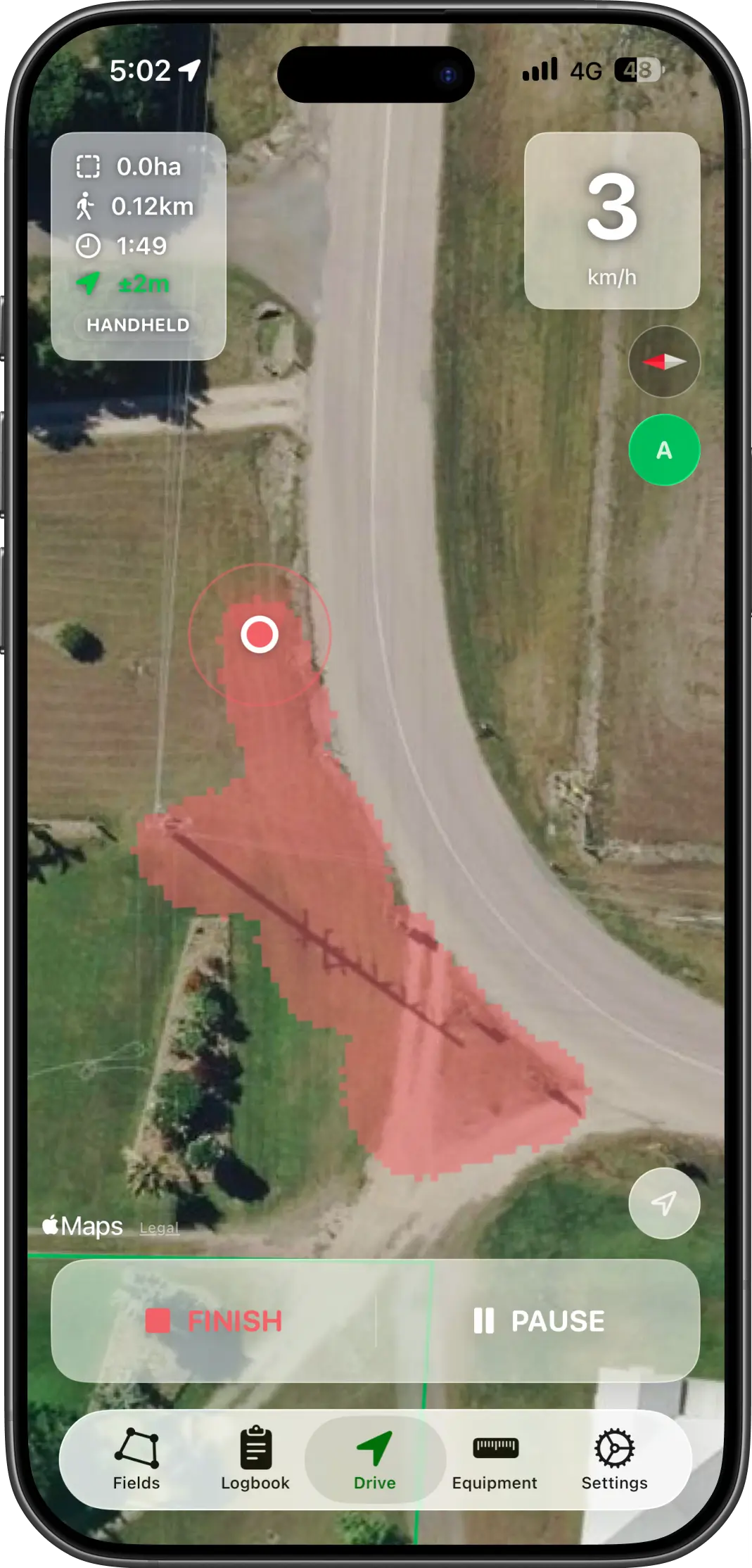
Live coverage map
See your coverage build as you drive
AgriPilot paints your worked area onto the map while you are in the field, so you can spot misses and cut down double coverage before the job is finished.
- Live map overlay while you work
- Coverage width follows your selected equipment
- Speed, area and time stay visible on screen
Keep the job in front of you instead of guessing where you have already been.
A/B guidance
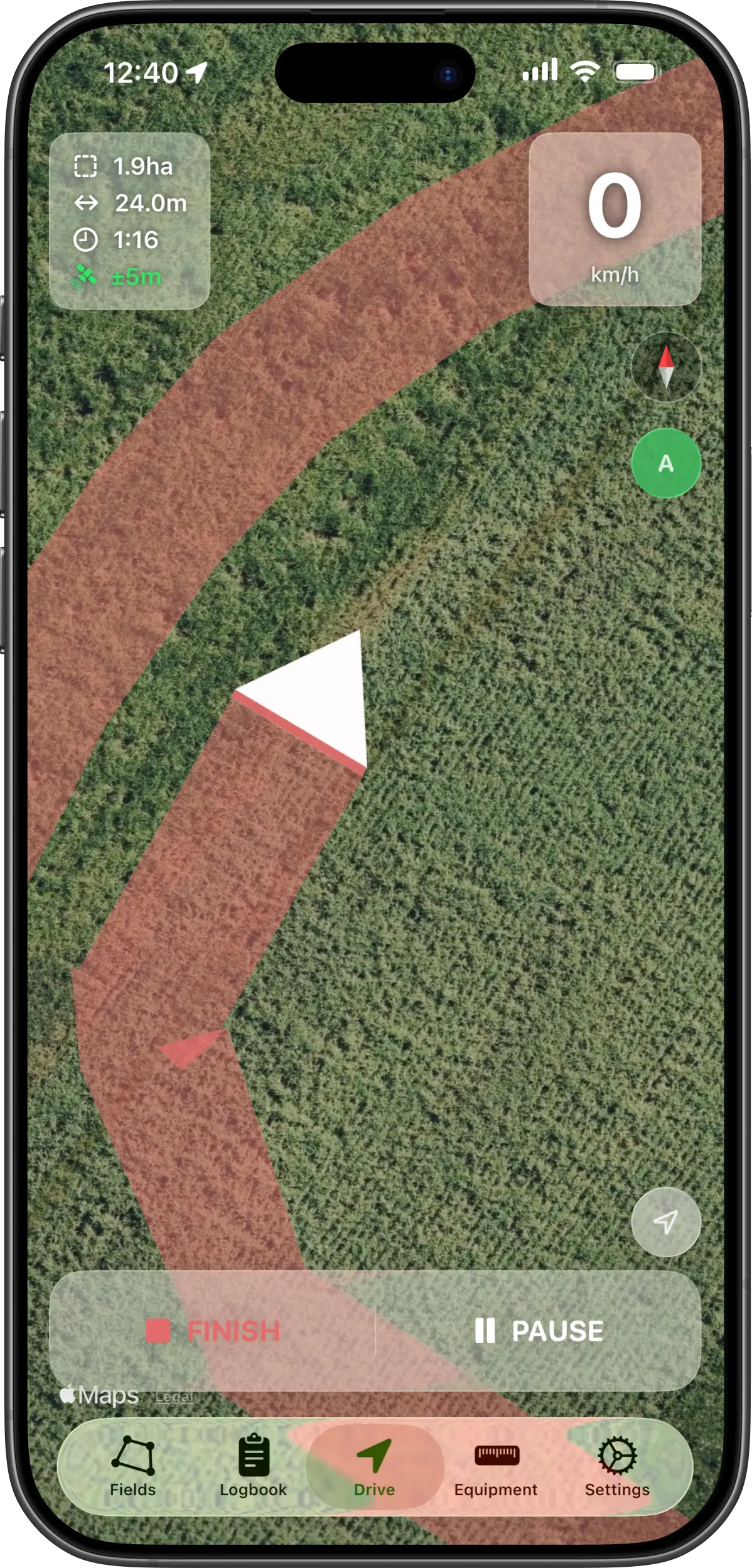
Follow clear A/B guidance lines
Set your first pass, lock in the line, and let the app show the next run at your working width. It gives you a clear visual guide without overcomplicating the screen.
- Set A then B to define your line
- Guidance lines spaced to your implement width
- Target line stays obvious on the map
A simple guide when you want straighter runs and fewer missed strips.
Spot spraying
Switch to handheld spot spraying when needed
Not every job is from the cab. AgriPilot also supports handheld work, so you can record spot spraying on foot and still keep a proper record of what was covered.
- Handheld mode for walking jobs
- Coverage shown as spot spray areas
- Useful for cleanup passes and odd corners
One app for tractor work and smaller follow-up jobs.
Fields and planning
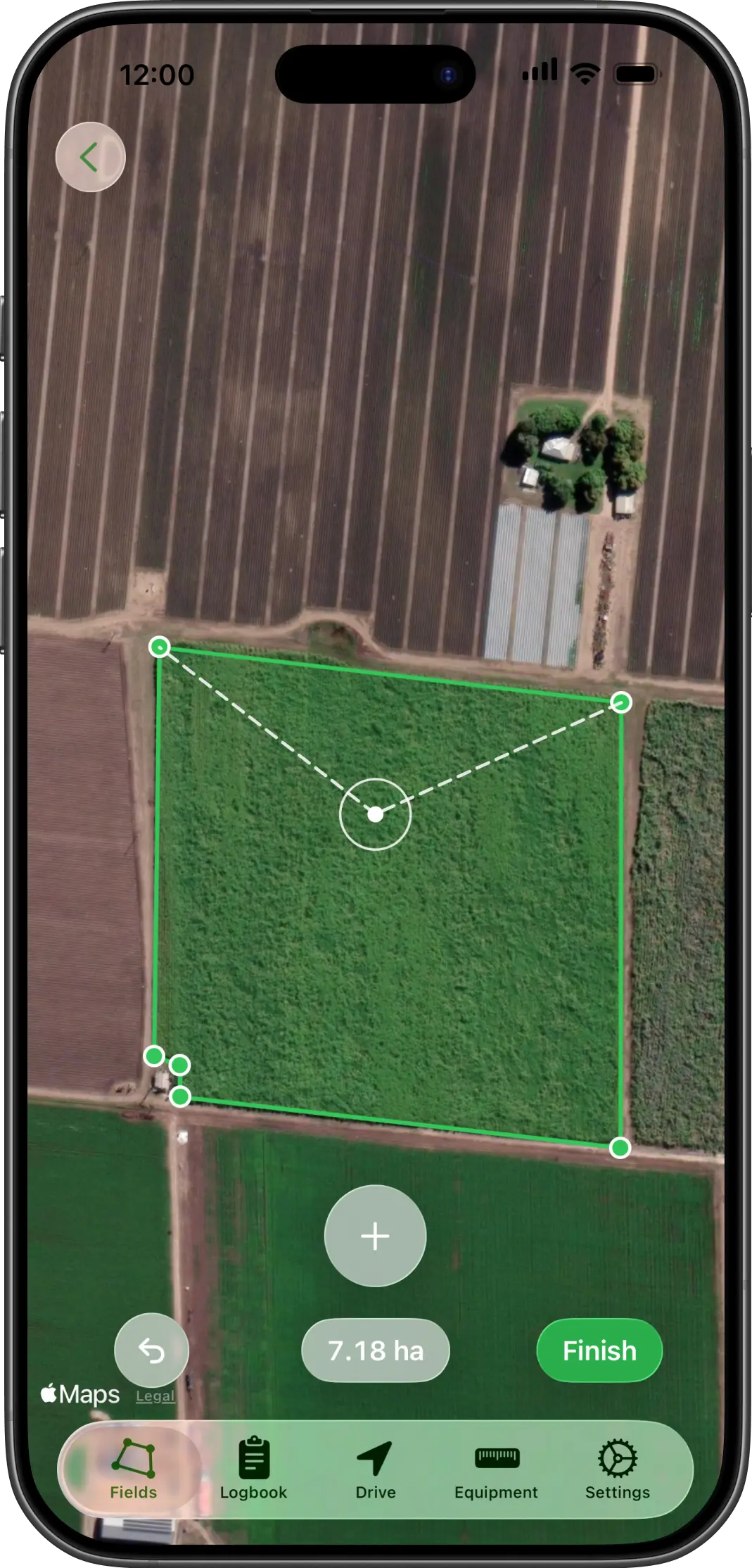
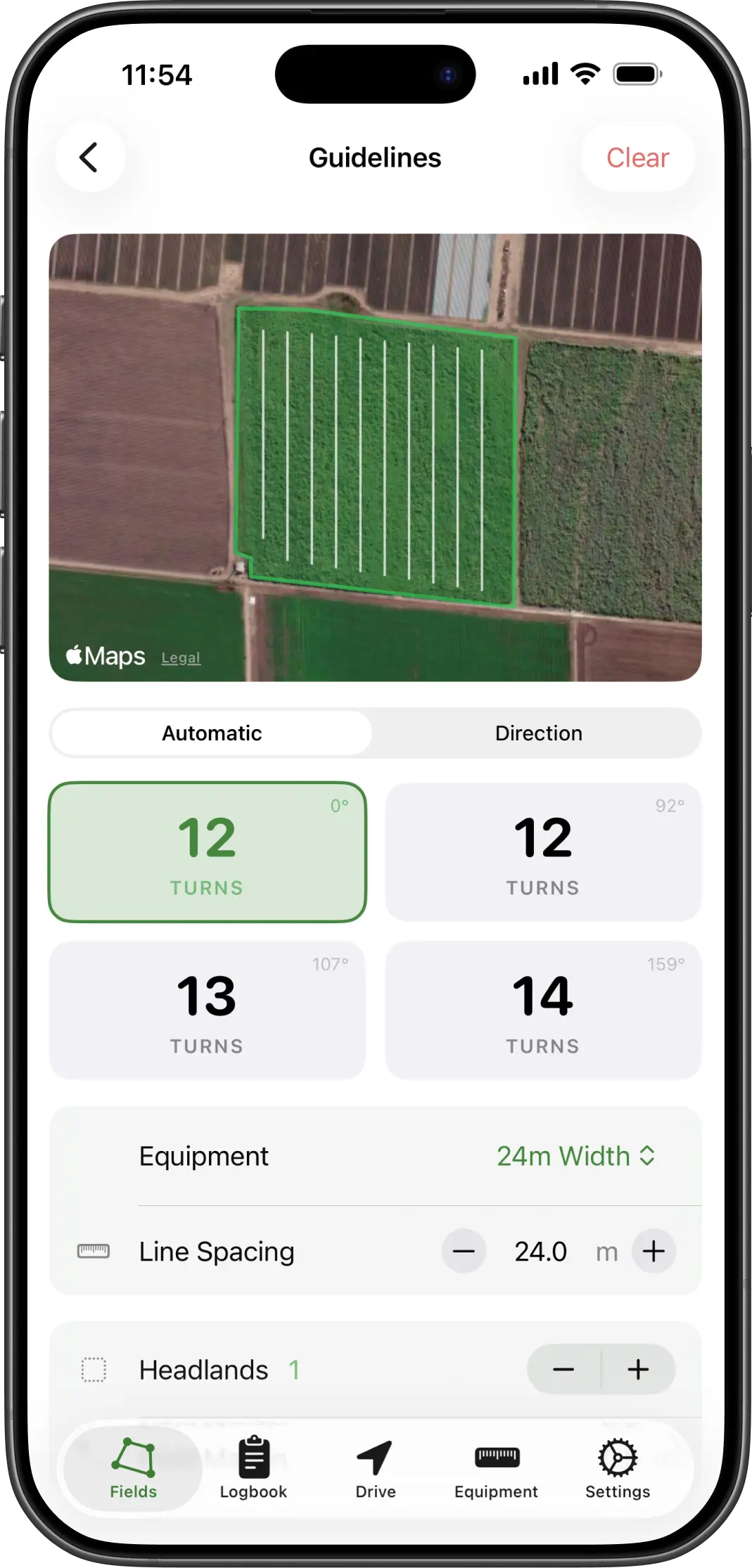
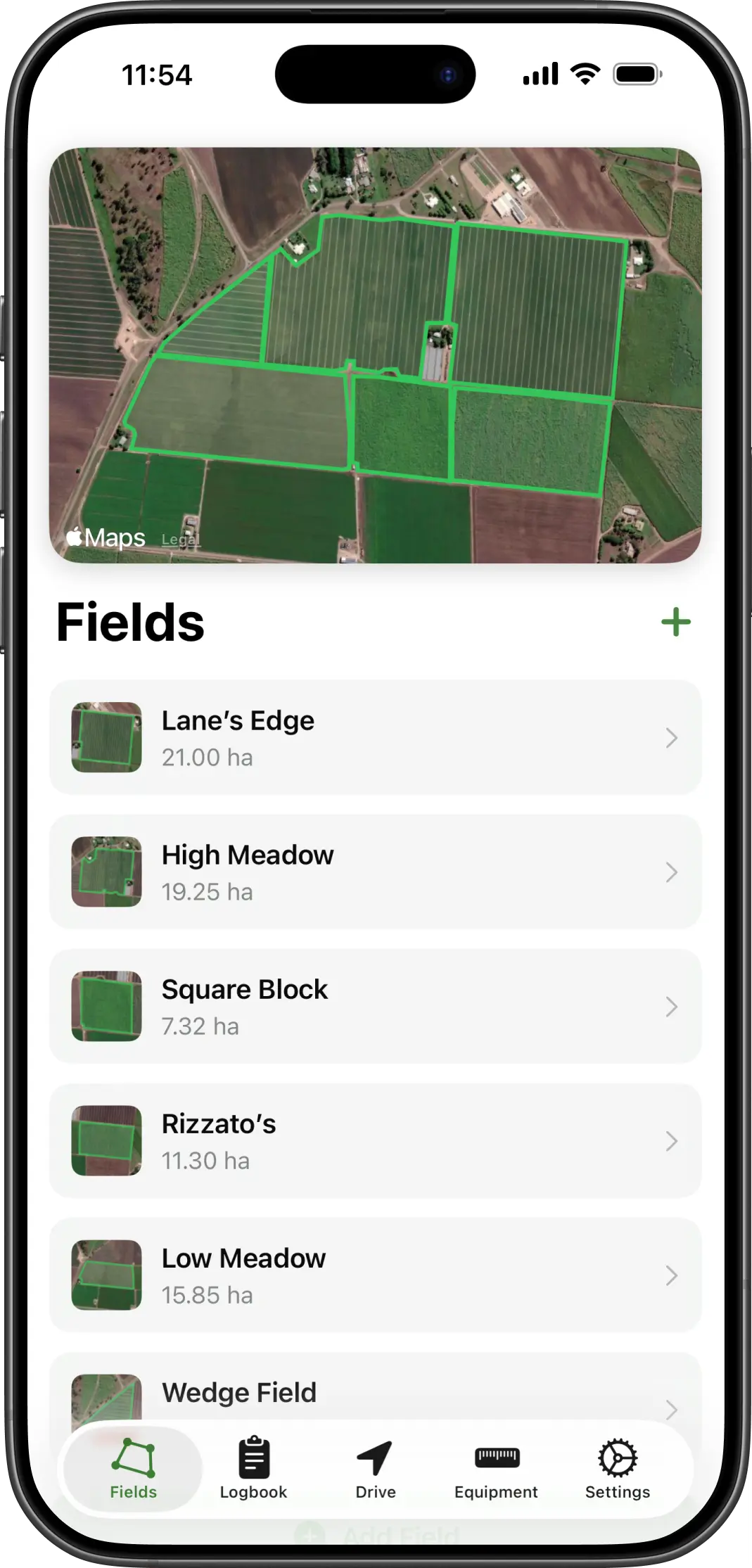
Keep field outlines and guideline plans ready
Save field boundaries once, then bring them back when you need them. AgriPilot can also help lay out working directions so you spend less time lining things up every time.
- Save field boundaries on the map
- Show field outlines while you are driving
- Build guidance directions around your equipment width
Useful setup work that pays off every time you head back into the same field.
Work log
Look back over every job
Each session is saved to a work log so you can check what was done, how long it took, and how much area was covered. When you need a file out of the app, GPX export gives you a simple way to keep a copy.
- Daily job history
- Session details with notes and stats
- Resume an unfinished job when needed
- Easy GPX export
A simple record of the work, with a straightforward export path when you need it.
Sync and presets
Keep your setup in sync between devices
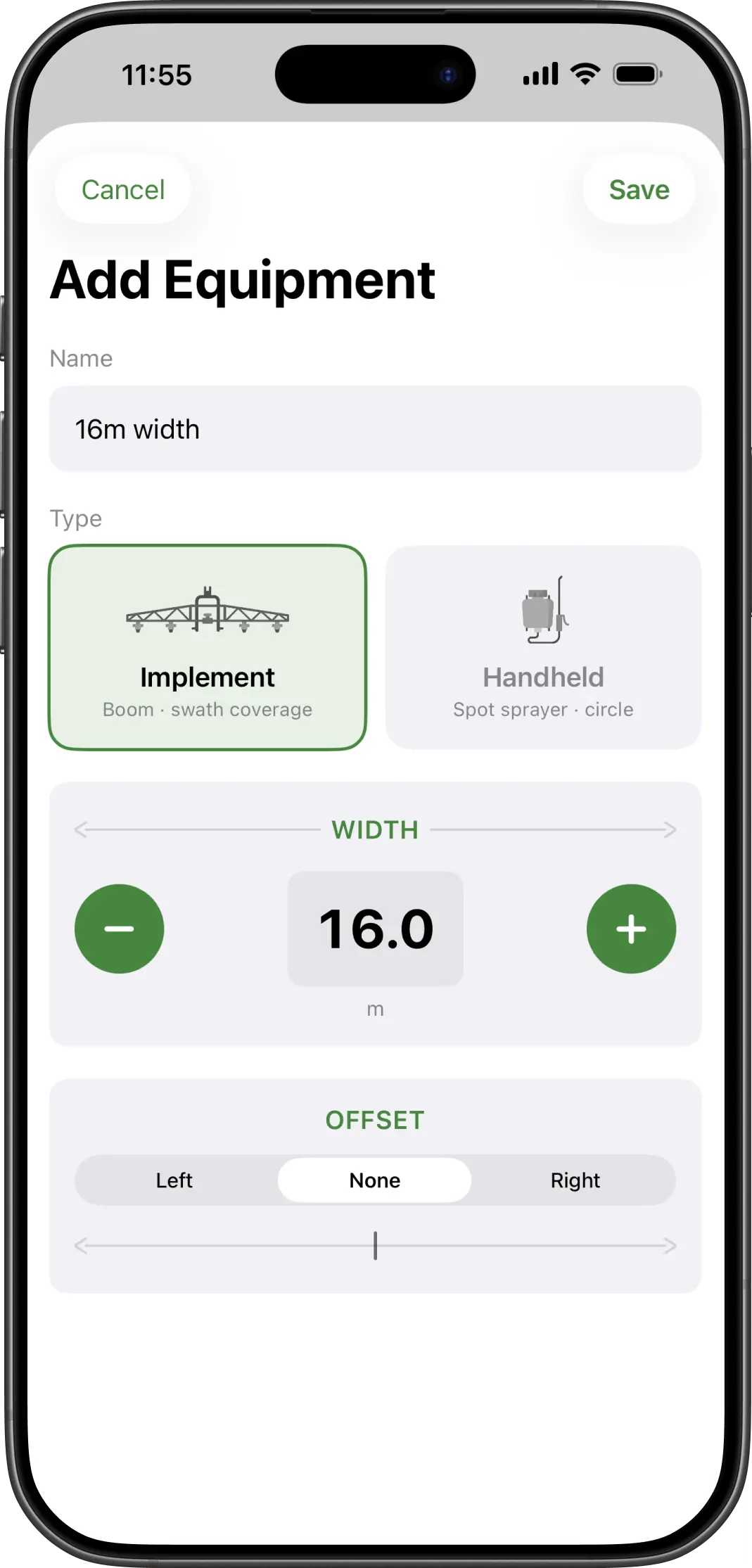
Save your common widths, offsets, fields and job records once, then pick them up on your other Apple devices through iCloud. That keeps AgriPilot ready to go without starting from scratch each time.
- Sync fields, jobs and equipment through iCloud
- Keep widths and offsets ready to go
- Move between devices without rebuilding your setup
A simpler Tractor GPS setup when you use more than one device.
Ready to try it
Ready to try AgriPilot?
Get a simple Tractor GPS app with live coverage, saved fields, device sync and GPX export.
Built for real conditions
Useful in the field, not just on a demo page.
AgriPilot is meant for practical use: live coverage while you work, records when you need them later, sync across devices, GPX export, and offline support when mobile signal is patchy.
Built for real field work
The app is made around practical pass-by-pass coverage tracking, not a crowded dashboard full of extras.
Keeps working offline
Jobs, fields, equipment and records stay usable even when you lose signal in the field.
Stays on your Apple devices
There is no separate account to manage. Your information can stay local and sync with iCloud.
Simple to pick up
Clear screens, plain language and saved presets mean less time setting up and more time getting the job done.
Common questions
Questions farmers ask before they try it.
Can I use my iPhone as a tractor GPS?
Yes. AgriPilot uses the iPhone's built-in GPS to show live coverage of where you have already driven and to hold a straight A/B line across the field. Mount the phone where you can see it, pick your implement width, and start a session. It is not a replacement for an RTK auto-steer system, but for spraying, spreading, mowing and seeding it stops the overlaps and skips that cost time and chemical.
How accurate is phone GPS for field work?
A modern iPhone typically gives 3–5 metre accuracy in open fields, and AgriPilot shows the current accuracy on screen so you always know what you are working with. That is close enough for visual guidance on wide implements — booms, spreaders, mowers — but not for centimetre-level auto-steer. AgriPilot guides the driver; it does not steer the tractor.
Does AgriPilot work without mobile signal?
Yes. GPS itself needs no data connection, so coverage tracking, A/B guidance and the job logbook all keep working with no signal. Only the satellite map tiles need data, and previously viewed areas stay cached. Records sync to your other Apple devices via iCloud once you are back in range.
How much does AgriPilot cost?
AgriPilot is an annual subscription with a 7-day free trial. There is one plan with every feature included — no per-field limits, no separate modules, and no hardware to buy. You can cancel during the trial from your Apple ID subscription settings and you will not be charged.
Is there an Android version of AgriPilot?
Not currently. AgriPilot is an iPhone and iPad app and relies on Apple technologies such as iCloud sync. There is no Android or web version.
Can I mark weeds and come back to them later?
Yes. Drop a marker at your current position with one tap while you drive — for weeds, rocks, wet patches, crop damage or a plain note. Markers stay on the map, and when you come back within range the app shows the distance and direction to the nearest outstanding one so you can drive to it and tick it off.
Do I need to draw my fields before I can use it?
No. You can start a session anywhere and coverage recording begins immediately. Saving field boundaries is optional and adds extras on top: automatic guideline generation for a saved field, area figures, and jobs grouped by field in the logbook.
Can I get my job data out of the app?
Yes. Every recorded session can be exported as a GPX file, which opens in QGIS, Google Earth and most farm mapping software. The logbook also keeps area worked, distance travelled and duration for each job.
Does it keep recording if I lock my phone or switch apps?
Yes. Once a session is running, AgriPilot keeps recording in the background, so taking a call, checking the weather or locking the screen does not create a gap in your coverage. iOS shows its usual background location indicator while that is happening. While the app is on screen the display is kept awake so you can glance at it mid-pass, which does use battery — on a long day, run the phone from a charger in the cab.
Does AgriPilot keep my chemical spray records?
No. AgriPilot records where you drove — coverage, area, distance, duration and notes for each job. It does not capture product, rate, batch number, weather readings or the other fields a compliance record needs. If you need application records for a regulator, quality-assurance scheme or customer, keep them in a dedicated spray record app, and use the AgriPilot GPX export as the spatial part of that record.
Spraybook, our spray record app